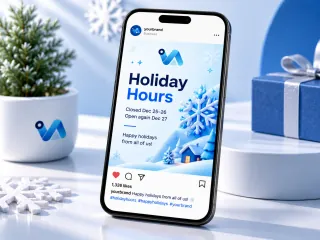
Making your holiday hours post work
Before every public holiday, customers ask whether you are open. A holiday hours post answers once for everyone, prevents wasted trips, and is a natural moment to thank customers for the year.
What to write on it
- Holiday Hours as the headline.
- The exact closed dates and the day you reopen, written in full.
- A short seasonal greeting from the team.
One tip
Update your Google Business Profile hours on the same day. Many customers check Google before they check Instagram, and a mismatch between the two leads to wasted trips and unhappy reviews. Put a printed sign on the door as well, for anyone who does not follow you online.
What you get
- Made at 1080 × 1350 px.
- A PNG at the exact size the platform shows.
- Social posts come in 1080 × 1350, 1080 × 1080 and a 1000 × 1500 Pinterest pin.
- Two AI designs from your words, logo and colours; preview free, $3.99 for the one you keep.
- When should I post holiday hours?
- About a week before the holiday, and again the day before as a story reminder, so regulars can plan their last visit before you close.
- What size is the holiday hours post?
- It is 1080 × 1350 pixels, the tall feed format, which also shares cleanly to a Facebook page.