Making your new menu post work
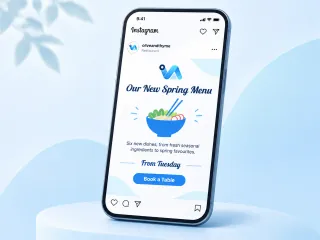
When a kitchen changes its menu, regulars want to know, and so do the people who have not been in for a while. A new menu post announces the change, names a few dishes worth coming for, and gives a date to look forward to.
What to write on it
- Our New Spring Menu, or whatever season or name the menu carries.
- Two or three dishes named appetisingly, as a taste of what has changed.
- When it starts and how to book.
One tip
Follow up with a photo post of each new dish over the next week. The announcement makes people curious; the dish photos make them book.
What you get
- Made at 1080 × 1350 px.
- A PNG at the exact size the platform shows.
- Social posts come in 1080 × 1350, 1080 × 1080 and a 1000 × 1500 Pinterest pin.
- Two AI designs from your words, logo and colours; preview free, $3.99 for the one you keep.
- How do I announce a new menu on Instagram?
- Post the news with the start date and a few highlight dishes, then follow up with photos of individual dishes.
- Can I use a photo of the new dishes?
- Yes. Add your own photo during setup and the post is laid out around it.