Making your reel cover work
A reel cover is the still image that represents a video on your profile grid. Without one, the grid shows a random frame; with a set of matching covers, your videos look like a planned series and visitors can see at a glance what each one is about.
What to write on it
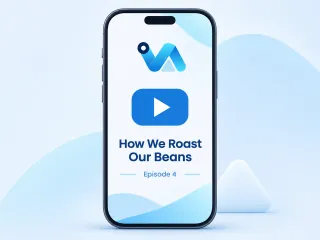
- The video's subject as a short title, such as How We Roast Our Beans.
- An episode number or series name if it is part of a set.
- Your handle or logo, small.
One tip
Keep the title in the middle of the frame. The grid shows reels cropped to a square or portrait shape, so words near the top or bottom may be cut off.
What you get
- Made at 1080 × 1920 px.
- A PNG at the exact size the platform shows.
- Stories & Reels come in 1080 × 1920, clear of the app's own buttons.
- Two AI designs from your words, logo and colours; preview free, $3.99 for the one you keep.
- What is a reel cover?
- The image chosen to represent a reel on your profile and in the feed before it plays.
- How do I add the cover to my reel?
- When you post the reel, choose to add a cover from your camera roll and pick the downloaded image.