
















Fix a blurry, low resolution image
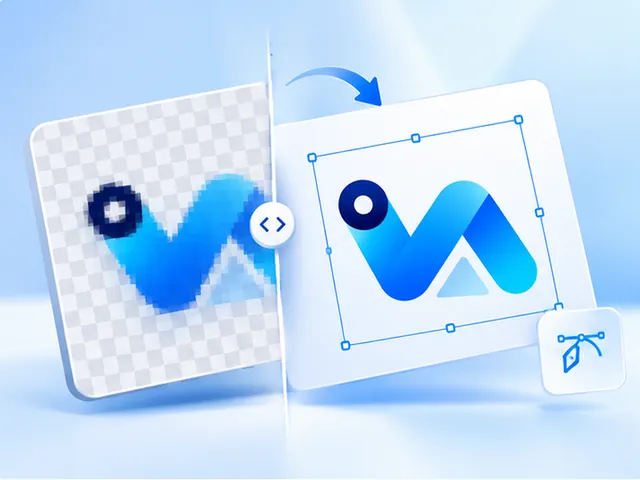
If the image is a logo, text or flat artwork, we can usually fix the blur for good: upload it and we redraw it as a sharp vector that prints at any size. Check the free preview first, then pay $3.99 once. What tracing can't do is bring back detail a photo never captured.
- SVG, vector PDF, EPS and a 300 DPI PNG
- Free preview, no account needed
- $3.99 per design, paid once
- Commercial use, no royalty
Blurry, pixelated or low resolution?
These are three problems that look alike. Pixelated means each pixel shows as a visible square once the image is enlarged. Low resolution is the cause: too few pixels for the size it is printed at. Blurry means soft edges, from compression, resizing or a camera out of focus.
Which one you have decides the fix, so it is worth a closer look before choosing a tool.
Logos and text: redraw them
A blurry logo doesn't need more pixels; it needs to stop being pixels. Tracing finds each shape in the picture and redraws it with a clean edge, so soft outlines and stair-stepped curves become smooth lines, as sharp on a sticker as on a shop sign.
The limit is what the image still shows. If two letters have blurred into one blob, the trace will draw a blob. Zoom into the free preview and you will see straight away whether it worked.
Photos need a different fix
A photograph is the one kind of image tracing makes worse: skin, sky and shadows turn into flat patches of colour.
When a photo looks pixelated only because it is small, upscaling it for print adds the pixels a 300 DPI print needs, for $1.00.
Be wary of any tool that promises to sharpen a badly out-of-focus or shaky photo. The detail was never recorded, so whatever it adds is invented.
How to get the sharpest result
Upload the largest, least-compressed copy you can find: the file the designer sent rather than a screenshot of it, or a copy passed around a chat app. Every extra pixel of real detail gives the trace more to work with.
Questions, answered
- Can you fix a blurry logo?
- In most cases, yes. The logo is redrawn as vector shapes, so soft and jagged edges come back clean. Very small or heavily blurred lettering is the part to check in the preview, because letters that have merged can't be told apart again.
- Why does my image look fine on screen but blurry in print?
- On screen an image is shown at the size its pixels allow, or smaller. In print it is stretched across inches, and at 300 pixels per inch a 1,200-pixel image covers only 4 inches before it starts to soften.
- How do I fix a low resolution image for printing?
- Multiply the print width in inches by 300 and compare that with the image's width in pixels. If it falls short and the image is a logo, vectorize it. If it is a photo, enlarge it with the upscaler.
- Can you fix a blurry photo?
- Only partly. If it is soft because it is small, an upscale enlarges it cleanly for print. If it is out of focus or shaken, no honest tool can restore what the camera didn't capture, and we'd rather say so before you pay.
- Does it work on screenshots and images saved from websites?
- Usually. Those are the classic low resolution files, often a few hundred pixels across. As long as the design is still legible, the trace can redraw it at full quality.
- Can I check the result before paying?
- Yes. Upload the image and the preview is free, up to 2 an hour. You only pay $3.99 if the sharpened result is one you want to print.