






A vector PDF your printer will accept
Upload your logo and we trace it into vector shapes, then draw those shapes into a PDF as real paths, not a picture pasted into a PDF. That is what a print shop means by a vector PDF. It comes with an SVG, an EPS and a 300 DPI PNG, for $3.99 once, after a free preview.
- SVG, vector PDF, EPS and a 300 DPI PNG
- Free preview, no account needed
- $3.99 per design, paid once
- Commercial use, no royalty
Why saving as PDF isn't enough
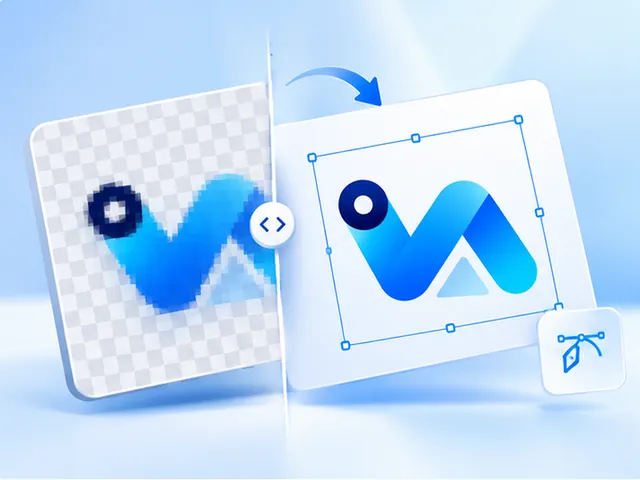
Exporting a JPG or PNG to PDF puts the same pixels inside a PDF wrapper. It opens like any other PDF, but when the printer scales it up it is still a small image, which is why print shops ask for a vector PDF by name.
A vector PDF contains paths: outlines and fills that the printer's software can scale, separate by colour and output at any size without losing sharpness.
How the PDF is made here
We trace your image once and build every file from that one trace. The PDF is drawn from the traced paths, and nothing in it falls back to embedding a bitmap. If part of a design couldn't be drawn as paths, the order would fail and be refunded rather than send you a file your printer would reject.
Before it goes to the printer
Check the colours. The trace picks the main colours from your image, and in the preview you can merge or replace them so the PDF uses the ones you want. If your printer prices by the number of colours, as screen printers often do, set that number before you buy.
Questions, answered
- How can I tell if a PDF is vector?
- Zoom far into an edge in a PDF viewer. A vector PDF stays sharp however far you go, while a PDF holding an image turns blocky or blurry. In a design program such as Illustrator, a vector PDF opens as shapes you can select.
- What if my printer asks for EPS or AI instead?
- An EPS is included with every design. We don't make .ai files, but Illustrator opens the EPS and the PDF directly, so a printer who asks for AI can usually work from either. Ask them if you're unsure.
- Can the printer resize the PDF?
- Yes. A vector PDF can be scaled to any size without losing quality, so the size it opens at is a starting point, not a limit. The PNG in the set is the only file with a fixed size: 300 DPI at the width you pick.
- Does the PDF include the background?
- Only if you keep it. Choose Remove under Background before you buy and the background around your logo is left out of every file, so the PDF prints just the artwork.
- What does a vector PDF cost?
- $3.99 per design, paid once. That buys the PDF together with the SVG, the EPS and a 300 DPI PNG. The preview is free, and you don't need an account.
- What if the file doesn't work for my printer?
- You see the traced result before paying, so check it at the size you'll print. If we take payment and can't deliver the files, the refund is automatic. For anything else, get in touch.