










Turn your AI logo into a real vector
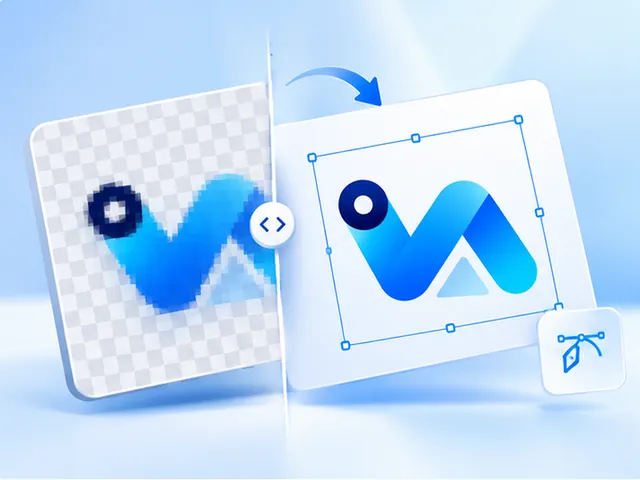
AI image tools such as ChatGPT, Midjourney and Gemini hand you a pixel image, usually a PNG or WebP, not a vector, so it blurs when a printer enlarges it. Upload that file and we trace it into clean shapes. If the free preview looks right, $3.99 buys the SVG, PDF, EPS and a 300 DPI PNG, once.
- SVG, vector PDF, EPS and a 300 DPI PNG
- Free preview, no account needed
- $3.99 per design, paid once
- Commercial use, no royalty
Why AI logos get turned away at the print shop
Image generators draw pixels. Even when a logo looks crisp in the chat window, the file is often about 1,000 pixels square: plenty for a profile picture, but only around three and a half inches wide at 300 DPI.
Printers ask for vector files because they scale, separate into spot colours and cut cleanly. A PNG from an AI tool can do none of that, however good it looks on a screen.
What tracing fixes, and what to check
AI art tends to arrive with soft glows, faint gradients and a background that is almost, but not quite, white. The trace turns the design into flat shapes, and the Remove option under Background clears the backdrop from around it, so the files come out transparent.
Look hard at the lettering in the preview. Image generators often draw letters that are slightly wrong, and a trace copies the letters it is given. You can erase a stray mark or add a line of clean text before you buy.
Haven't made the logo yet?
Our AI vector generator asks for flat colours and crisp outlines by default, the style that traces best, and hands the design you pick straight to the vectorizer. It costs the same $3.99 as an upload.
Questions, answered
- Which AI tools does this work with?
- Any that give you an image file: ChatGPT, Midjourney, Gemini, Adobe Firefly, Canva, Ideogram, Leonardo and the rest. Download the largest version the tool offers and upload it as a PNG, JPG or WebP.
- Can I change the colours after tracing?
- Yes, before you pay. Set the number of colours, merge two that should be one or swap one colour for another, and the preview updates. It helps when an AI tool has scattered near-identical shades across a design.
- Why is there a white or grey box around my AI logo?
- Many image tools can't save transparency, so they paint a background, sometimes even a fake checkerboard. Choosing Remove under Background clears a painted backdrop. A checkerboard drawn into the pixels is harder to remove, so check the preview on its transparency grid.
- Will the vector match the AI image exactly?
- Close, but cleaner. Smooth shading becomes flat bands of colour and tiny textures drop out, which is usually what a printed logo needs. If the design depends on soft lighting effects, expect it to look flatter.
- Can I use an AI logo commercially?
- That depends on the terms of the tool that made it and on the design not copying someone else's brand, so check both. Buying the vector here adds no restrictions of our own: no attribution and no royalty.
- What does vectorizing an AI logo cost?
- $3.99 for the SVG, PDF, EPS and PNG of one design, paid once after a free preview. There is no subscription, and you don't need an account.